 capcutx.app
CapCut APK › CapCut for iPhone
CapCut for iOS: Download on iPhone and iPad
The CapCut APK is only for Android. On iPhone and iPad, you install CapCut from the Apple App Store. It's free, official and takes a minute.
Download CapCut on the App Store
How to install CapCut on iPhone
- Tap the App Store button above, or open the App Store and search for CapCut.
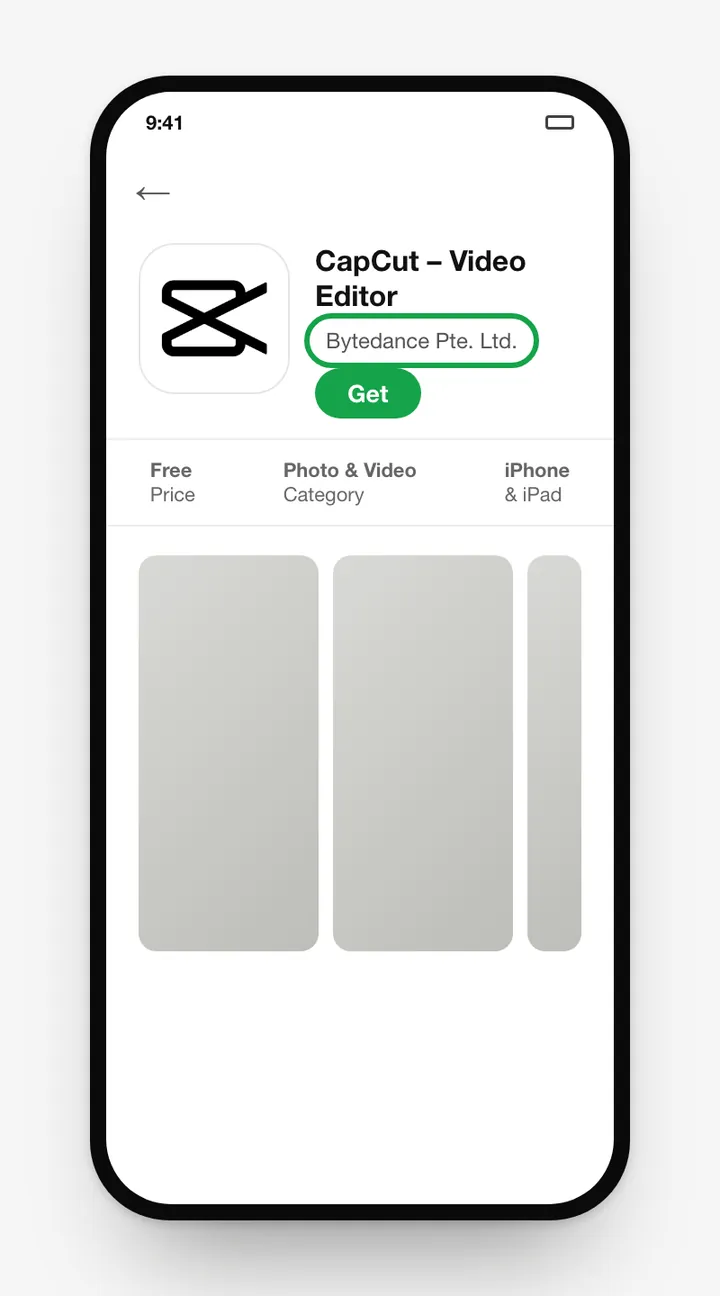
- Check that the developer is Bytedance Pte. Ltd.
- Tap Get and confirm with Face ID, Touch ID or your password.
- Open CapCut and allow access to Photos when asked.
Requirements
CapCut needs a fairly recent version of iOS or iPadOS. The App Store listing shows the current minimum under Compatibility. Newer iPhones handle 4K editing and effects much more smoothly.
CapCut on iOS vs Android
- The core editor, templates and effects are the same on both.
- iOS can only install from the App Store. Android can also install the APK directly.
- Pro subscriptions are billed through the store you subscribed in, so cancel from there.
CapCut not available in your App Store?
CapCut isn't offered in every country. If it's missing, it hasn't been released in your region. Use the apps available to you. See our CapCut alternatives for good options.
Frequently asked questions
Is there a CapCut APK for iPhone?
No. APK files only work on Android. iPhones and iPads install apps from the App Store as IPA packages, so download CapCut from the App Store.
Is CapCut free on iPhone?
Yes. It's free on the App Store with optional CapCut Pro in-app purchases.
Why can't I find CapCut in the App Store?
CapCut may not be offered in your App Store region because of local regulations. The app is only shown in countries where it's available.
Can I use CapCut on iPad?
Yes. CapCut runs on iPad, and the bigger screen makes timeline editing easier.
Related guides
 How to Install CapCut APKStep-by-step guide to install the CapCut APK on any Android phone, tablet, Huawei device or Android TV, plus fixes for 'App not installed' and parsing errors.
 CapCut for PCDownload CapCut for PC free on Windows 10, Windows 11 and macOS.
 CapCut Mod APKThinking of downloading CapCut Mod APK or CapCut Pro APK unlocked? Learn the real risks (malware, bans, data theft) and safe ways to get Pro features.
 CapCut ProWhat do you get with CapCut Pro? Compare CapCut Free vs Pro features, how to check the price in your country, the free trial, and how to cancel.
 CapCut TemplatesHow to find and use trending CapCut templates on Android and iPhone, how to edit them, export without the logo, and why templates sometimes don't show.
 CapCut Without WatermarkExport CapCut videos without a watermark for free.