CapCut APK › No Watermark
CapCut Without Watermark: Remove the CapCut Logo for Free
Good news: the official CapCut APK doesn't put a watermark on normal exports. The only CapCut branding is an ending clip, which you can remove for free in a few seconds. You don't need a mod APK.

CapCut APK Download
- Version
- Latest
- Size
- 305 MB
- Platform
- Android
- Price
- Free
Served directly from CapCut's official download server. capcutx.app doesn't host or modify files and isn't affiliated with CapCut or ByteDance.
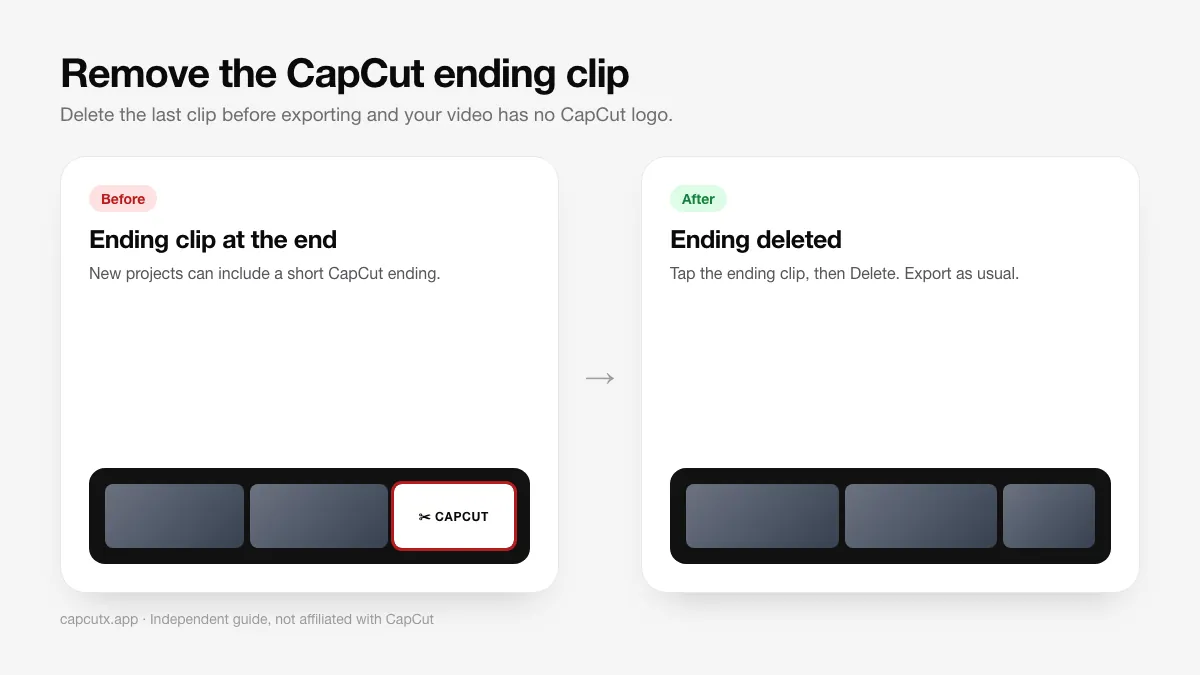
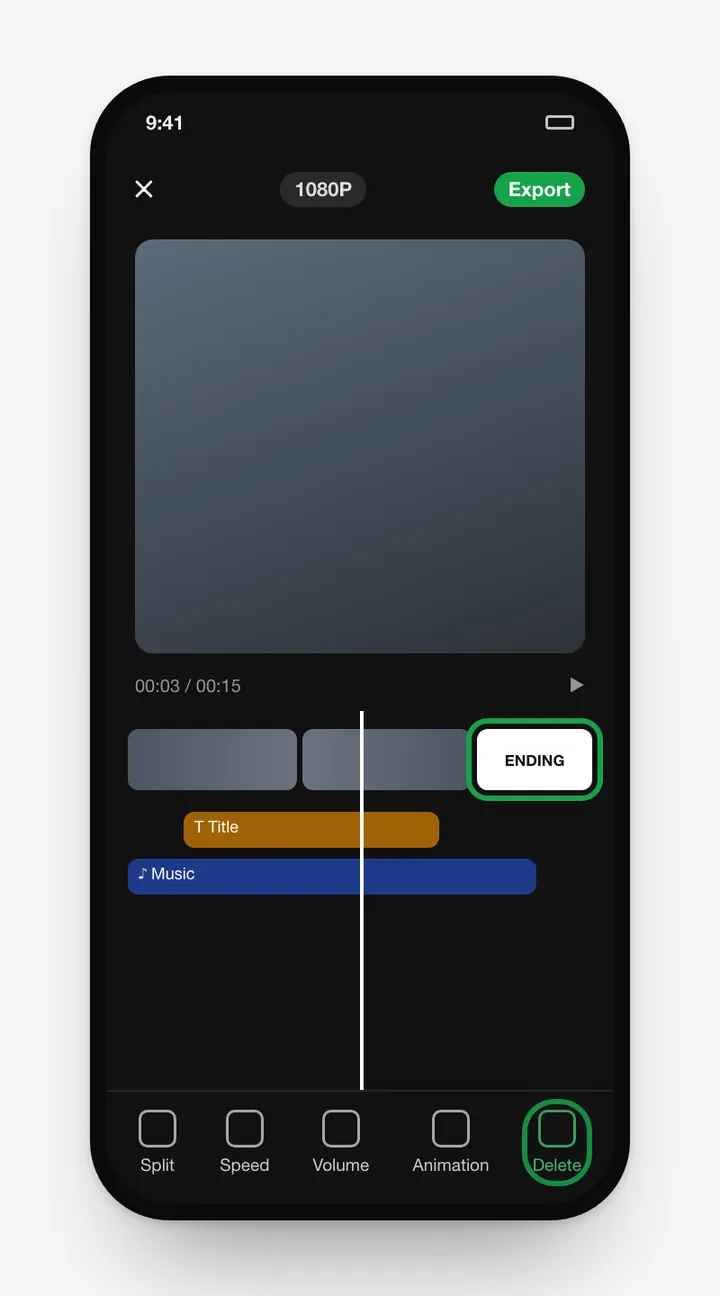
Method 1: Delete the ending clip (every project)
- Open your project and scroll to the end of the timeline.
- Tap the clip with the CapCut logo.
- Tap Delete in the bottom toolbar.
- Export as usual. No logo.
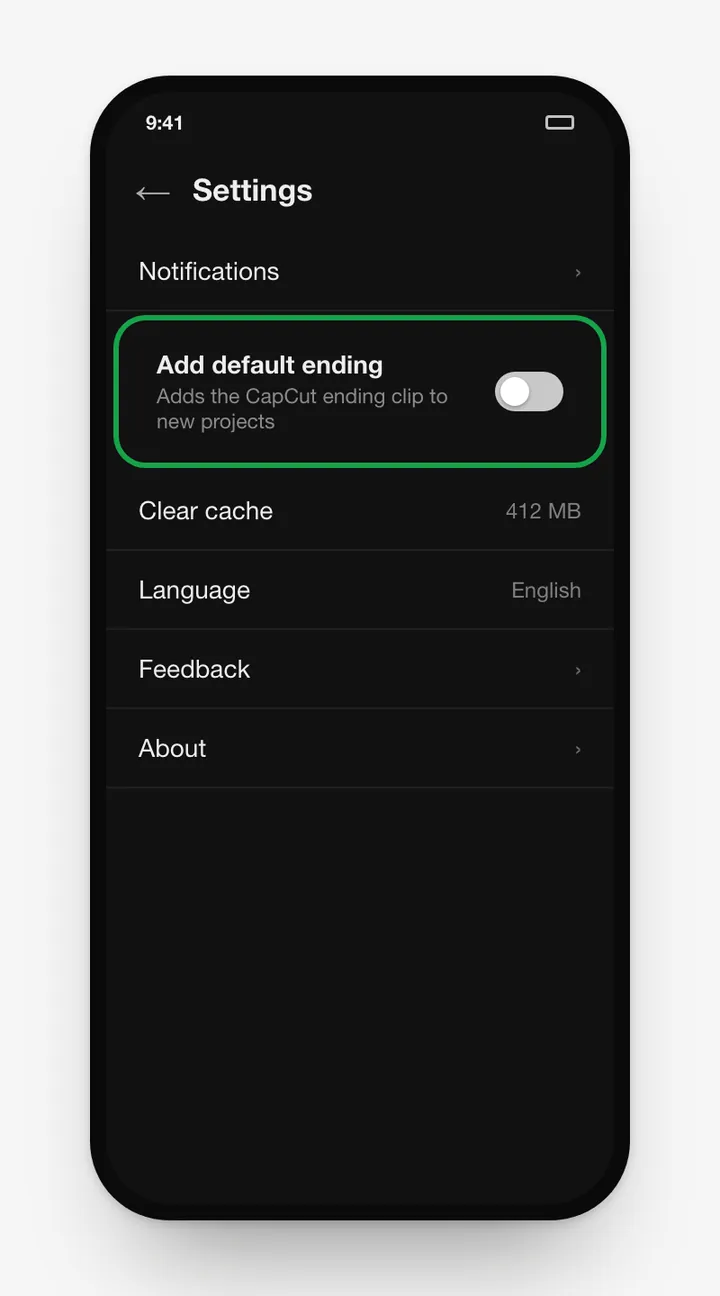
Method 2: Turn off the default ending forever
- On CapCut's home screen, tap the Settings (gear) icon.
- Turn off Add default ending.
- New projects won't include the logo clip.
Method 3: Template videos
When you export a template, CapCut may offer Export without watermark or Save and share to TikTok. If you choose the plain save option, it may include an end screen. Choose the no-watermark option, or open the template in the editor (when available) and delete the ending clip.
On CapCut for PC
The desktop app doesn't add a watermark to normal exports. If an ending is added, select it in the timeline and press Delete.
Avoid "no watermark" mod APKs
Sites advertising "CapCut no watermark APK" are pushing modified apps, which come with real security risks. You don't need them. Read CapCut Mod APK: is it safe?
Frequently asked questions
Does CapCut have a watermark?
Normal projects export without any watermark. The only branding is the optional ending clip and some template end screens.
Do I need CapCut Pro to remove the watermark?
No. Deleting the ending clip is free.
Why does my TikTok show 'CapCut · Try this template'?
That's a link label TikTok adds to template-based videos, not a watermark on the video file. Videos made from a blank project don't get it.
Can I set CapCut to never add the ending?
Yes. In CapCut settings, look for the option to add a default ending and turn it off.
Related guides
 How to Install CapCut APKStep-by-step guide to install the CapCut APK on any Android phone, tablet, Huawei device or Android TV, plus fixes for 'App not installed' and parsing errors.
 CapCut for PCDownload CapCut for PC free on Windows 10, Windows 11 and macOS.
 CapCut Mod APKThinking of downloading CapCut Mod APK or CapCut Pro APK unlocked? Learn the real risks (malware, bans, data theft) and safe ways to get Pro features.
 CapCut ProWhat do you get with CapCut Pro? Compare CapCut Free vs Pro features, how to check the price in your country, the free trial, and how to cancel.
 CapCut for iPhone & iPadHow to download CapCut on iPhone and iPad from the App Store, what to do if it's not available in your region, requirements, and iOS vs Android differences.
 CapCut TemplatesHow to find and use trending CapCut templates on Android and iPhone, how to edit them, export without the logo, and why templates sometimes don't show.